

The employee handover checklist for when someone leaves your team
A good employee handover captures open work, decisions and the reasons behind them, relationships and contacts, recurring tasks, where files live, and access. Start it the day notice is given, run a structured handover meeting, and move work out of personal drives before access ends. Use a copyable checklist that groups every step by timing.
- Start as soon as notice is given; two weeks is the minimum for most roles.
- Capture five things: open work, decisions and their reasons, relationships, recurring tasks, and files and access.
- Ask the person leaving 8 to 10 prepared questions, and record the answers.
- Move files into shared drives before removing access, then close every account and agent key.
Contents

Employee handover checklist
When someone leaves your team
What should an employee handover checklist include?
An employee handover checklist should cover six things: open work, decisions and the reasons behind them, relationships and contacts, recurring tasks, where files live, and access. Group the items by timing, from the day notice is given to the first month after the person leaves, so nothing waits until the last afternoon. Copy it and adapt each line to the role.
Employee handover checklist
A knowledge handover is the transfer of what a departing person knows, decides and maintains to the people who take over their work. Treat the list as practical guidance, not legal or employment advice, and check notice periods, final pay and data rules with your HR team or adviser.
Why do handovers fail?
Handovers fail because most of what a person knows is never written down. It lives in their head, in direct messages and in files on their own drive. A rushed final week captures the task list but not the reasons behind past decisions, the contacts who matter or the small recurring jobs nobody else knows exist. Those gaps surface weeks later.
The cost builds slowly: a client asks a question nobody can answer, a renewal is missed, a supplier choice is reversed because nobody remembers why it was made. Our post on the cost of institutional knowledge loss looks at how that adds up across a team.
What are the five things every handover must capture?
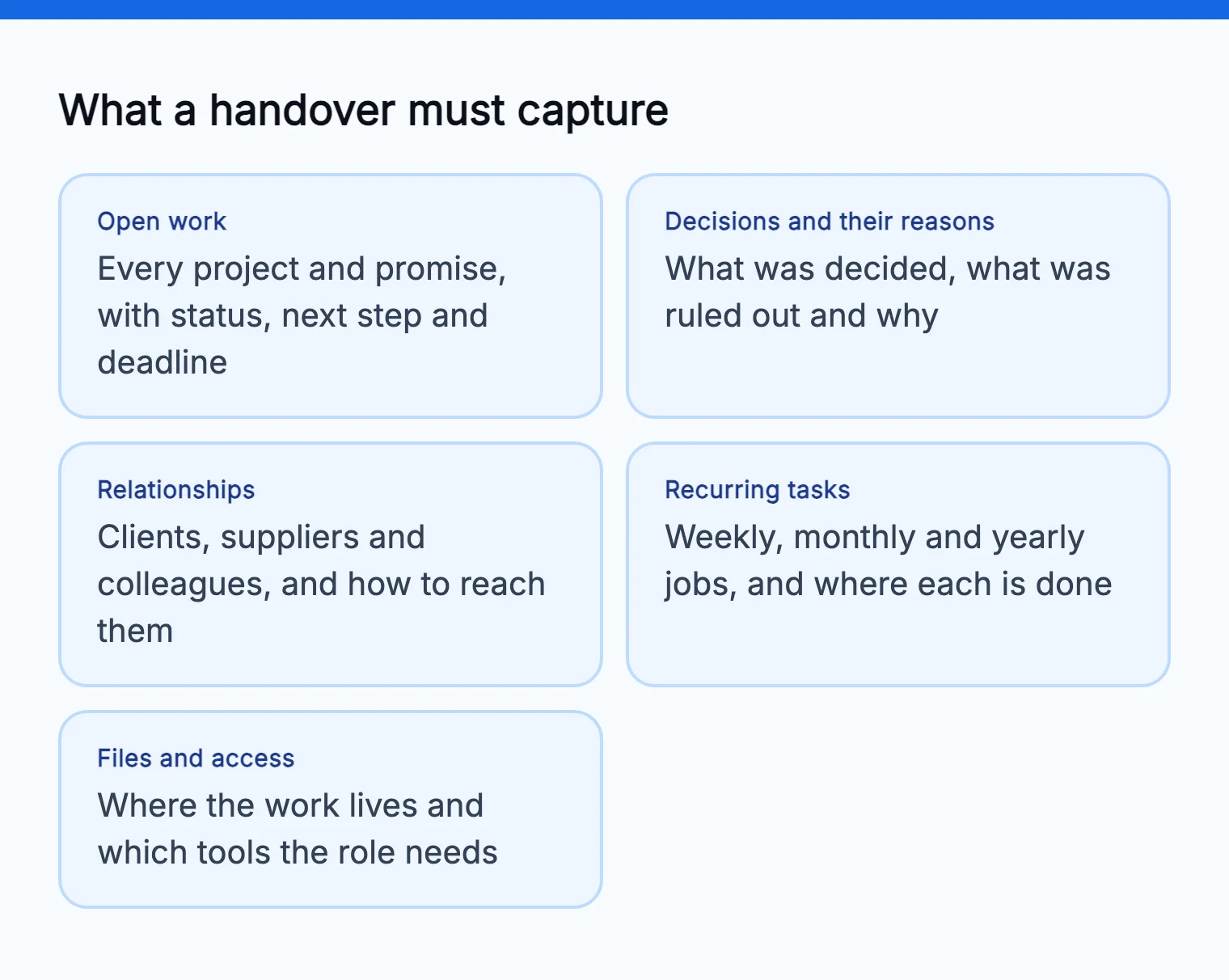
Every handover must capture open work, decisions with their reasons, relationships, recurring tasks, and where files and access live. Open work tells the successor what to do next. Decisions explain why things are the way they are. Relationships say who to call. Recurring tasks prevent the quiet failures. Files and access make the rest usable.
- **Open work.** Every project, ticket and promise, with its status, next step and deadline.
- **Decisions and their reasons.** What was decided, what was ruled out and why, with a link to where it was agreed.
- **Relationships.** The clients, suppliers and colleagues the person works with, what each expects and how to reach them.
- **Recurring tasks.** Weekly, monthly and yearly jobs, from reports to renewals, and where each one is done.
- **Files and access.** Where the work lives, who owns each document and which tools the role needs.
How do you run the handover meeting?
Run the handover meeting as a structured interview, not a status update. Book an hour with the person leaving and their successor, send the questions in advance, and record the answers in the handover document. Start with open work, then move to decisions, people and routines. Plan one or two shorter follow-ups, because the best answers come after people have thought about the questions.
These questions work for most roles:
- What are you working on right now, and what is the next step on each item?
- Which deadlines or renewals fall in the next three months?
- Which decisions would someone new most likely question, and why were they made?
- What did you try that did not work?
- Who outside the team should your successor meet first, and why?
- Which tasks happen weekly, monthly or once a year?
- Where do your working files live, and which ones are only on your own drive?
- What do people usually ask you that is not written down anywhere?
- Which tools, accounts or keys does the role depend on?
- If your successor gets stuck in their first month, where should they look first?
How do you move files out of personal drives?
Move files out of personal drives before access ends, not after. Ask the person to list the work files that live only on their own drive or in a private folder, then move them into a shared drive or team folder and transfer ownership of each document. Check shared links still open for the successor, and do it during the last two weeks, while the person can still answer questions.
If the team keeps its work in Google Drive, see how HeyBrain connects Google Drive. Shared drives and team folders are the safest home for work that has to outlive any one person, and they make the next handover shorter.
How do you keep their knowledge answerable after they go?
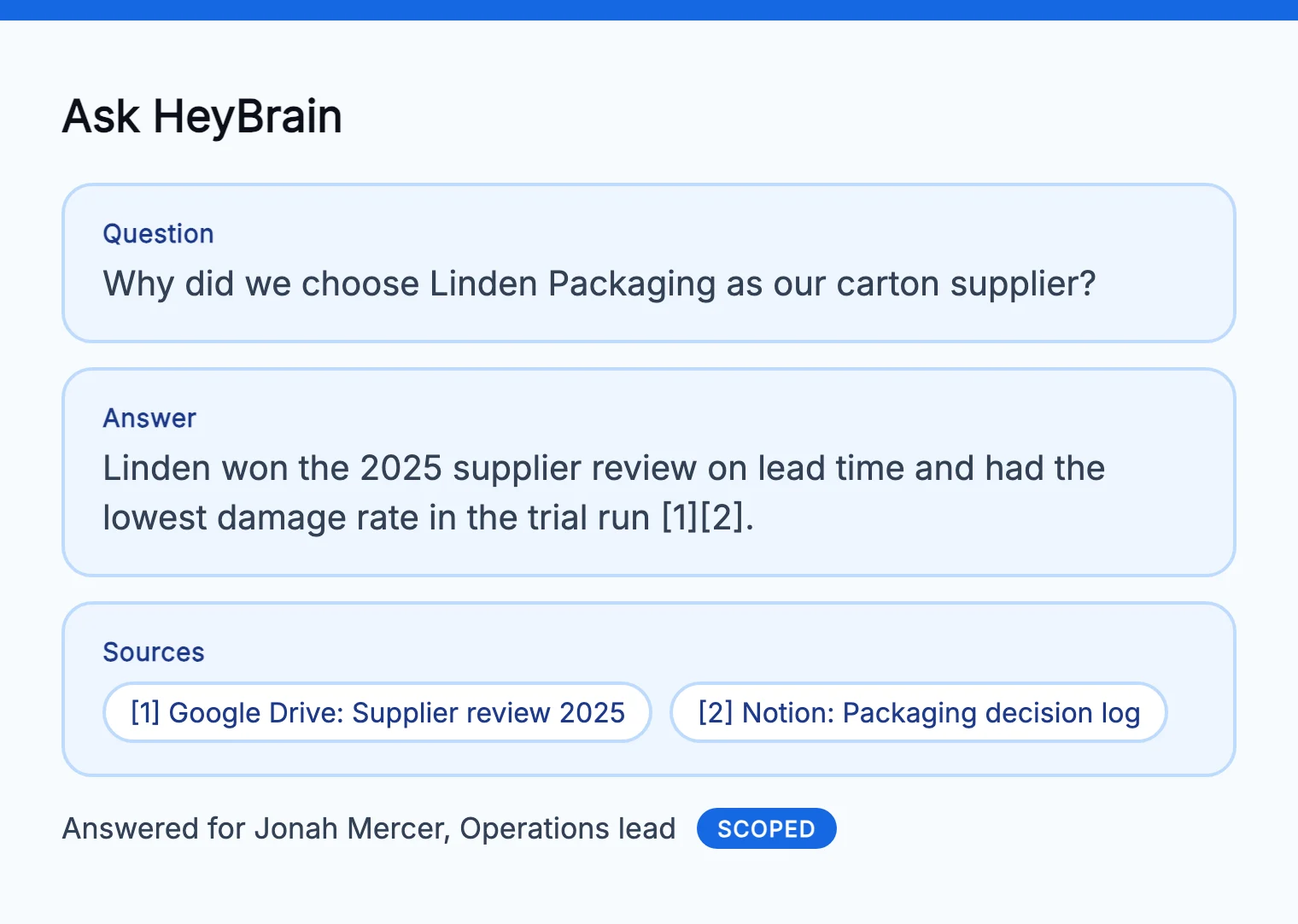
Keep their knowledge answerable by making sure it lives in shared sources before they leave. HeyBrain connects the tools a team already uses, such as Google Drive, Notion and GitHub, and answers questions in Ask HeyBrain with the source attached. A successor who asks why a supplier was chosen gets the answer from the decision note, with a link to it.
Timing matters. When someone is removed from a HeyBrain workspace, the sources they connected are disconnected and their private files and conversations in that workspace are removed, so nobody there can open them. Documents shared with the team stay, still credited to the person who added them. So move what the team needs into shared sources first, then remove their access. Our knowledge transfer use case shows the whole flow.
How do you close their access?
Close access on the last day, after files have moved and ownership has transferred. Remove the person from each workspace and tool, revoke shared passwords, and end sessions on company devices. Do not forget AI tools: list any agent keys or connected apps they created, because those act on the company's data on their behalf. Then check the access record for anything still in use.
In HeyBrain, removing someone from a workspace ends their sign-in sessions, and the agent keys they created there stop working. For the people side of a departure and a new start, see HeyBrain for HR teams and employee onboarding.
Frequently asked questions
What should a handover checklist include?
A handover checklist should include open work with its status and next step, decisions and the reasons behind them, key relationships and contacts, recurring tasks, where files live, and the access the role needs. Group the items by timing, from the day notice is given to the first month after, so each step has an owner and a date.
How early should a handover start?
Start the handover as soon as notice is given. Two weeks is the minimum for most roles, and a senior or client-facing role needs longer. Starting early leaves time for introductions, a follow-up meeting and moving files, and it means the person leaving can still answer the questions the first draft of the handover document raises.
What questions should I ask in a handover meeting?
Ask what is open and what comes next, which deadlines are close, which decisions a newcomer would question and why they were made, what was tried and failed, who to meet first, which tasks recur, where files live, and what people ask that is not written down. Send the questions in advance so answers are considered.
How do you stop knowledge loss when someone leaves?
Write down decisions and their reasons as you go, keep work files in shared drives rather than personal ones, and run a structured handover when someone resigns. Then make that shared knowledge easy to search, so a successor can find an answer and its source without needing the person who left. Review what was missed after a month.
Who owns the handover, the manager or the person leaving?
The manager owns the handover and the person leaving does most of the work. The manager sets the timeline, names successors, books the meetings and checks the result. The person leaving writes the handover document, answers questions and moves their files. The successor confirms they can carry on, which is the real test of the handover.
What happens to their files and AI tools after they leave?
Each tool has its own rules, so move work into shared drives first. In HeyBrain, removing someone from a workspace disconnects their sources and removes their private files and conversations, so nobody there can open them. Shared documents stay. Their sign-in sessions end and the agent keys they created there stop working, so their AI tools lose access to that workspace.
The short version
Start the handover the day notice is given, capture open work, decisions, relationships, recurring tasks and where files live, and run a structured handover meeting. Move work into shared sources before access ends, then close every account and agent key. If your team wants that shared knowledge answered with sources, HeyBrain is one way to do it.